
Lighting control
Spectrasol luminaires in the DALI version can be controlled (dimmed) in several ways:
A) using a control system/control unit supporting the DALI2 communication protocol
– for options of controlling and managing luminaires using the standardized DALI protocol, contact your control system supplier
– if you are interested in advanced DALI control but do not have a control system supplier in your project, contact the Spectrasol sales team; we will help you find the most suitable solution
B) using PUSH DIMM function (sometimes also SWITCH DIMM)
– this is the simplest and most cost-effective technology for switching and dimming luminaires on and off
– control requires only a standard push button, available in your preferred design from your chosen control device manufacturer (e.g. ABB, Legrand, etc.)
– at least a 4-core cable is required from the push button to the luminaire
– recommended cable length from the push button to the luminaire is up to 15 m; in practice, longer lengths may be possible under suitable conditions
Wiring diagram:
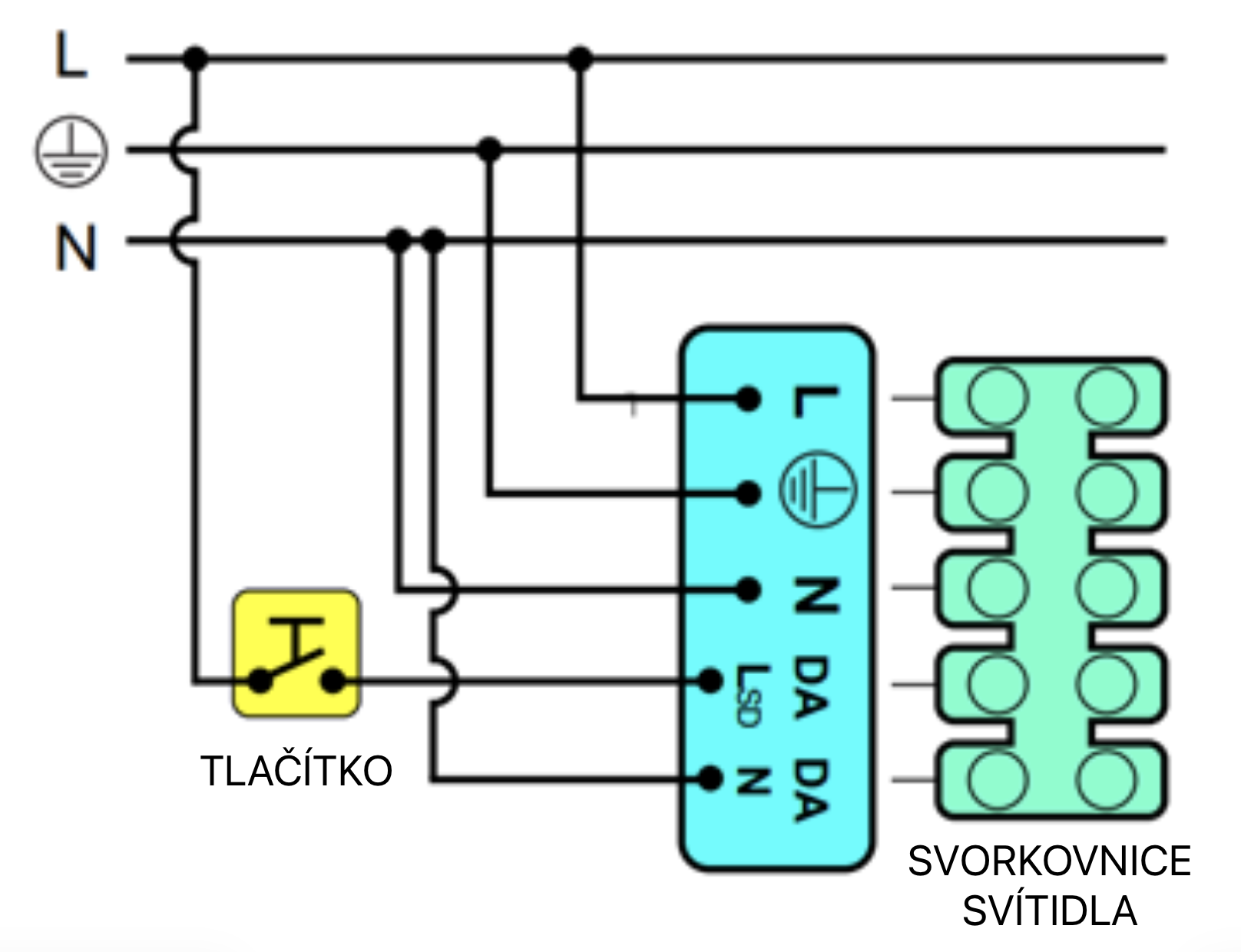
– the luminaire is permanently powered; the 4th wire is used for control – a phase switched by a push button
If there are not at least 4 cores between the control point and the luminaire, a wireless ABB push button can be used.
– the wireless push button (transmitter) is available in wall-mounted or handheld versions
– the button battery lasts several years
– one push button (transmitter) can control up to 4 separate circuits
– for each circuit (luminaire) that you want to control separately, a wireless switch (receiver) must be connected to the luminaire
– for proper operation, it is essential that the wireless switch (receiver) is set to PUSH mode
– set the PUSH mode during button pairing according to the instructions:
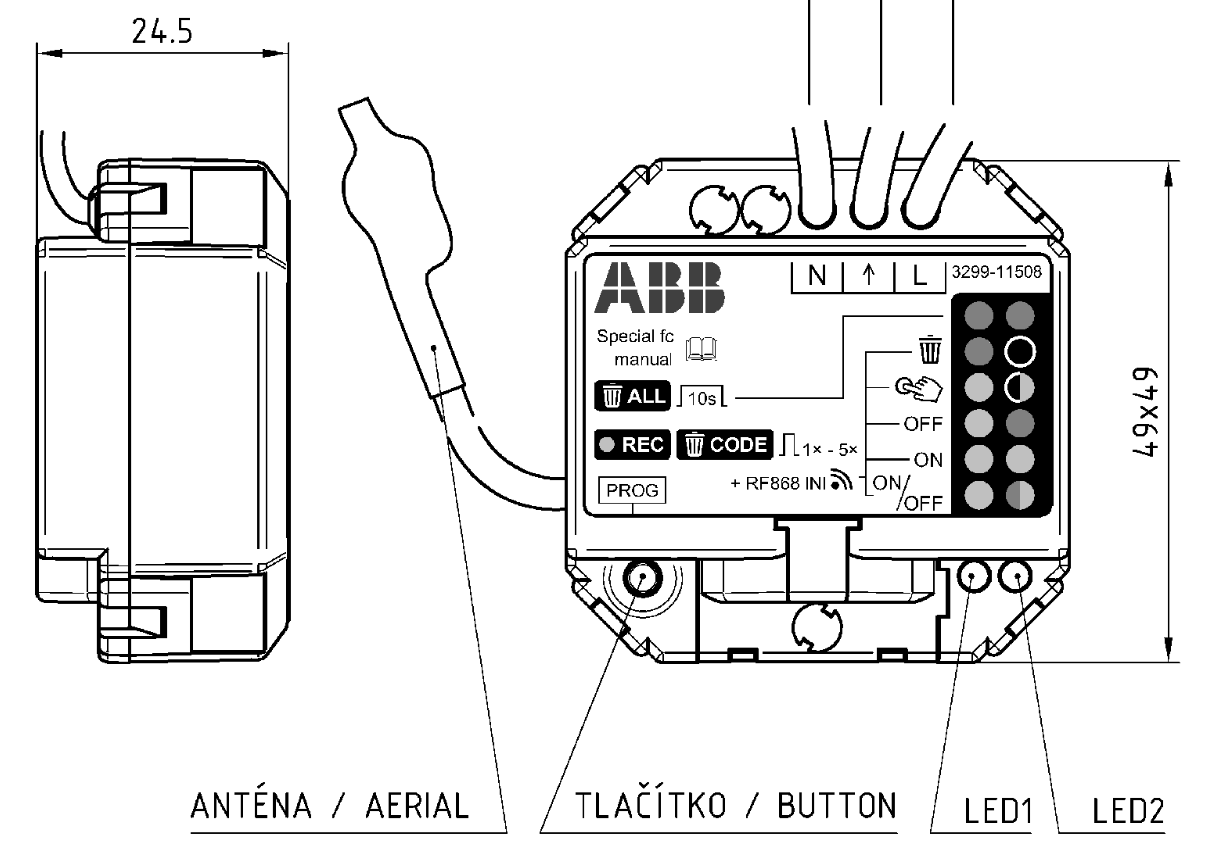
– press the button on the receiver 4 times briefly; LED 1 lights up green and LED 2 flashes green
– press the selected transmitter button(s) 2 times
– successful pairing is indicated by both LEDs flashing green slowly at the same time
Full manual here: ABB RF manual link
– we recommend performing pairing and setting the PUSH mode before connecting the wireless switch (receiver) to the luminaire
– correct operation can be verified by sound: when the button is pressed briefly, the relay in the receiver clicks twice; when the button is held, it clicks once on press and once again on release
– connect to the luminaire only once you are sure the wireless control works correctly based on the audible feedback described above. Proper function can also be verified using a phase tester at the switch output. The output voltage should follow button presses with a slight delay
Wiring diagram:
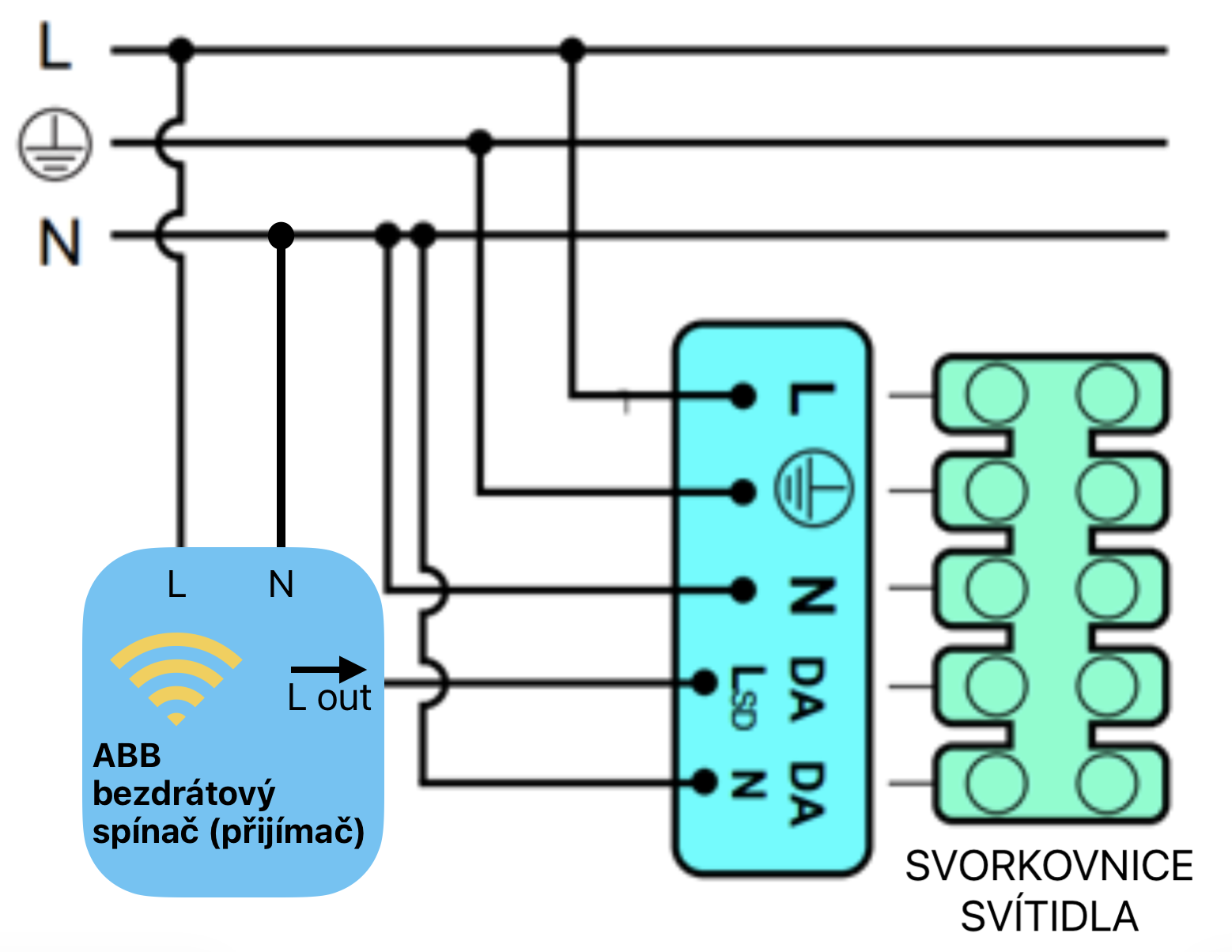
– if the ABB receiver is incorrectly configured, or if there are repeated unsystematic attempts to switch using a push button or wireless push button, the LED driver in the luminaire may accidentally enter corridor mode or another specific function in which normal control of the luminaire is not possible. To deactivate these modes, follow the instructions for the relevant driver used in the luminaire
Manual links: